1
Upload a flowchart image
Start with a static flowchart image, exported diagram, archived process map, or shared screenshot.
Upload a static flowchart image, exported flowchart, archived process map, or shared screenshot. ChatFlowchart reconstructs the visible steps, decisions, branches, and connectors as an editable Draw.io-compatible draft.
Supported inputs
قبل وبعد
A PNG, screenshot, or PDF page in Draw.io is still just pixels. ChatFlowchart rebuilds the visible structure as editable boxes, labels, and connectors you can export to Draw.io.
Before
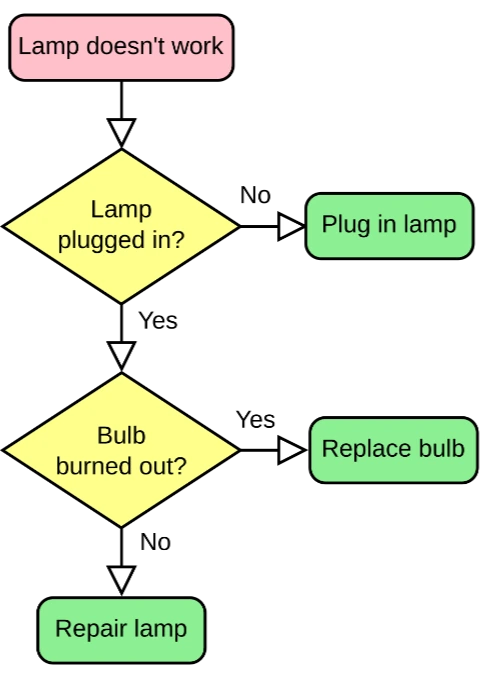
Locked pixels, labels cannot be edited
After
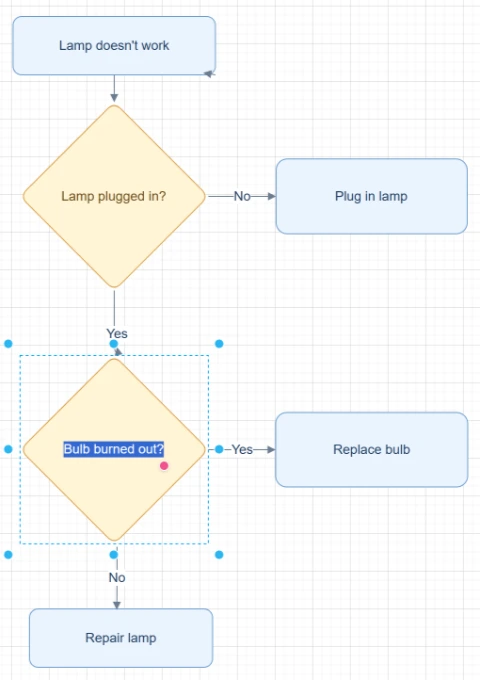
Editable boxes, labels, and connectors
Best for clear diagrams with readable labels and visible arrows. Review dense layouts before export.
Convert to Draw.ioStart with the source file, let AI rebuild the visible structure, then review the editable result on canvas.
Start with a static flowchart image, exported diagram, archived process map, or shared screenshot.
ChatFlowchart detects process boxes, decision nodes, visible start/end points, labels, arrows, connector direction, and branch text.
Open the reconstructed result in Modern Style, fix labels, branches, or connectors, and export through the Draw.io-compatible path when available.
Editable result
ChatFlowchart rebuilds the visible diagram as editable diagram objects, so the output can be reviewed and refined instead of staying locked inside a flat image.
Review and edit the visible text labels after the diagram is rebuilt.
Move, resize, add, or remove process boxes, decision nodes, and other diagram elements.
Reconnect arrows, adjust flow direction, and fix unclear branches when needed.
Clean up spacing, alignment, grouping, and reading order on the editable canvas.
Apply sketch or modern styling before exporting the final diagram.
حالات الاستخدام
تركّز كل صفحة تحويل على هدف إخراج محدد، حتى تبدأ من الصيغة أو سير العمل الذي تحتاجه مباشرة.
Start from the remaining flowchart image when the original Draw.io, diagramming, or slide source file is gone.
Reconstruct old exported flowcharts so teams can update steps, decisions, and connectors.
Convert flowchart images from archived docs or PDF pages into diagrams that can be maintained again.
Turn flowcharts shared through chat, email, or tickets into editable drafts.
Create editable structure from PNG, JPG, or WEBP flowchart exports instead of redrawing manually.
التفاصيل
Flowchart image to Draw.io conversion helps when the editable source file is missing but a static flowchart image still exists.
ChatFlowchart analyzes the visible flowchart and reconstructs process boxes, decision nodes, arrows, branch labels, connectors, and layout as editable diagram objects.
Teams often keep flowchart images in slides, archives, PDFs, chat threads, or documentation after the original source file is gone.
A reconstructed Draw.io-compatible draft gives you a practical starting point for updating the process instead of tracing every box and connector by hand.
This converter focuses on visible flowchart structure: start/end points, process steps, decisions, branch labels, arrows, and reading order.
Complex swimlanes, BPMN notation, UML-specific semantics, multi-page processes, or cropped flows may require manual cleanup or a more specialized workflow.
Results and quality
Images, screenshots, whiteboard photos, and PDF uploads are supported. Text-based PDFs can be extracted directly, while scanned PDFs work best when the diagram, labels, and arrows are clearly visible.
Export availability follows the current ChatFlowchart canvas export options.
Continue from the converted diagram without rebuilding the file.
Continue refining the rebuilt diagram with manual edits or AI chat.
Export the finished diagram as PNG, SVG, PDF, Draw.io, Mermaid, or a shareable link when available.
Ask ChatFlowchart to rename labels, adjust steps, clean up layout, or correct arrows.
Mark whether the result looks good or needs cleanup so weak inputs are easier to diagnose.
الأسئلة الشائعة
Upload a static flowchart image and turn the visible process into an editable Draw.io-compatible draft you can review, refine, and export.