1
Upload the PDF diagram
Use a static PDF export, page screenshot, or diagram image when the editable Draw.io source file is gone.
Upload a PDF diagram and rebuild the visible boxes, labels, connectors, and layout into an editable Draw.io-compatible diagram.
Supported inputs
Before and after
A PNG, screenshot, or PDF page in Draw.io is still just pixels. ChatFlowchart rebuilds the visible structure as editable boxes, labels, and connectors you can export to Draw.io.
Before
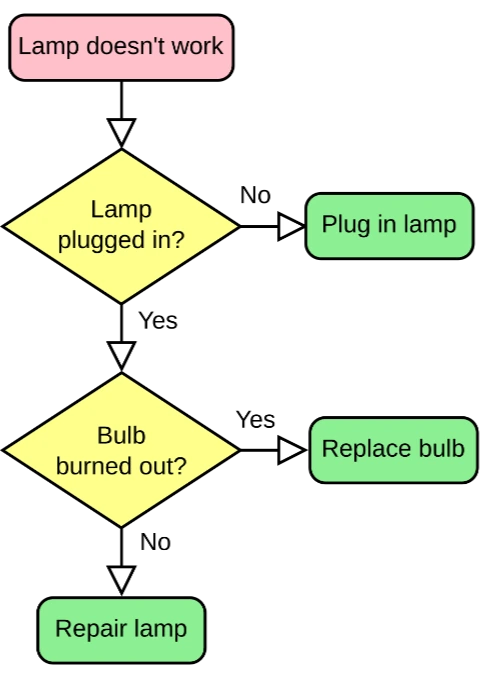
Locked pixels, labels cannot be edited
After
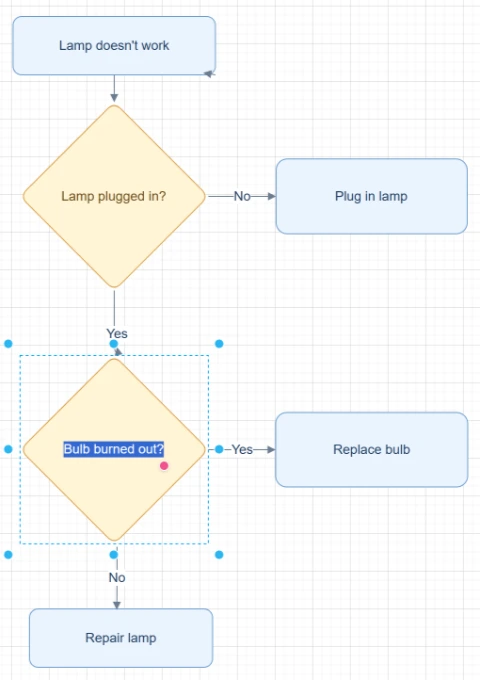
Editable boxes, labels, and connectors
Best for clear diagrams with readable labels and visible arrows. Review dense layouts before export.
Convert to Draw.ioStart with the source file, let AI rebuild the visible structure, then review the editable result on canvas.
Use a static PDF export, page screenshot, or diagram image when the editable Draw.io source file is gone.
ChatFlowchart reconstructs boxes, connectors, labels, and layout as a new editable diagram.
Review the rebuilt diagram, adjust the layout, and export it for Draw.io or diagrams.net editing when available.
Editable result
ChatFlowchart rebuilds the visible diagram as editable diagram objects, so the output can be reviewed and refined instead of staying locked inside a flat image.
Review and edit the visible text labels after the diagram is rebuilt.
Move, resize, add, or remove process boxes, decision nodes, and other diagram elements.
Reconnect arrows, adjust flow direction, and fix unclear branches when needed.
Clean up spacing, alignment, grouping, and reading order on the editable canvas.
Apply sketch or modern styling before exporting the final diagram.
Use cases
Each converter page focuses on a specific output goal, so you can start with the format or workflow you need.
Rebuild a static PDF export when the original Draw.io, .drawio, or diagram source file is unavailable.
Convert cloud, service, and system diagrams from PDF docs into editable structures.
Recover router, service, and dependency diagrams from static exports.
Recreate diagrams from old PDF manuals, reports, and exported documentation.
Rebuild diagrams from exported Confluence PDFs before updating team documentation.
Details
This workflow is for static PDF diagrams, screenshots, and exports where you no longer have the original editable file. ChatFlowchart creates a new editable diagram from the visible structure.
If a PDF contains embedded Draw.io source data, diagrams.net may be able to open it directly. ChatFlowchart focuses on the harder case: visible diagram recovery from static files.
Some Draw.io PDFs may include embedded diagram data and can be reopened directly in diagrams.net. In that case, you should use the original editable data whenever possible.
ChatFlowchart is designed for static PDFs, scanned pages, screenshots, and exported documents where the editable source is missing. It rebuilds the visible diagram as new editable objects for a Draw.io-compatible workflow.
The generated diagram is a first draft. Review labels, connectors, grouping, and layout before exporting a Draw.io-compatible file or sharing the result.
For dense PDF pages, crop to a single diagram and use high contrast input to improve object reconstruction.
Results and quality
If a PDF was exported from Draw.io with embedded diagram data, diagrams.net may open it directly. For static, scanned, or image-style PDFs, ChatFlowchart rebuilds the visible diagram and may require review or cleanup.
Export availability follows the current ChatFlowchart canvas export options.
Continue from the converted diagram without rebuilding the file.
Continue refining the rebuilt diagram with manual edits or AI chat.
Export the finished diagram as PNG, SVG, PDF, Draw.io, Mermaid, or a shareable link when available.
Ask ChatFlowchart to rename labels, adjust steps, clean up layout, or correct arrows.
Mark whether the result looks good or needs cleanup so weak inputs are easier to diagnose.
FAQ
Upload a static PDF diagram and create a new editable diagram you can review, clean up, and export.