pdf to flowchart

PDF to Flowchart Converter

Upload a PDF process document, SOP, workflow page, or PDF diagram and turn it into an editable flowchart canvas.

Works with text-based PDFs, SOPs, workflow documents, and clear scanned PDF pages.
Rebuilds visible steps, decisions, labels, and arrows as editable diagram objects.
Review and refine the result before exporting PNG, SVG, PDF, or a share link.
PNGJPGJPEGWEBPGIFPDF

Drop a PDF file here, or upload a clear page image when your PDF is scanned.

Images: JPG, PNG, WEBP, GIF up to 5 MB. PDFs: up to 150.0k extracted chars.

Opens the editable canvas with Sketch Style selected.

1

Upload a PDF process page

Use a PDF process document, SOP, workflow page, or a clear scanned page image.

2

AI converts the PDF into a flowchart

ChatFlowchart reads available text and reconstructs the visible process structure as editable flowchart objects.

3

Edit and export

Open the editable flowchart canvas, review labels and arrows, then export the cleaned result.

Editable result

What you can edit after conversion

ChatFlowchart rebuilds the visible diagram as editable diagram objects, so the output can be reviewed and refined instead of staying locked inside a flat image.

Labels

Review and edit the visible text labels after the diagram is rebuilt.

Shapes

Move, resize, add, or remove process boxes, decision nodes, and other diagram elements.

Connectors

Reconnect arrows, adjust flow direction, and fix unclear branches when needed.

Layout

Clean up spacing, alignment, grouping, and reading order on the editable canvas.

Style

Apply sketch or modern styling before exporting the final diagram.

Before and after

See what files can be rebuilt into editable diagrams

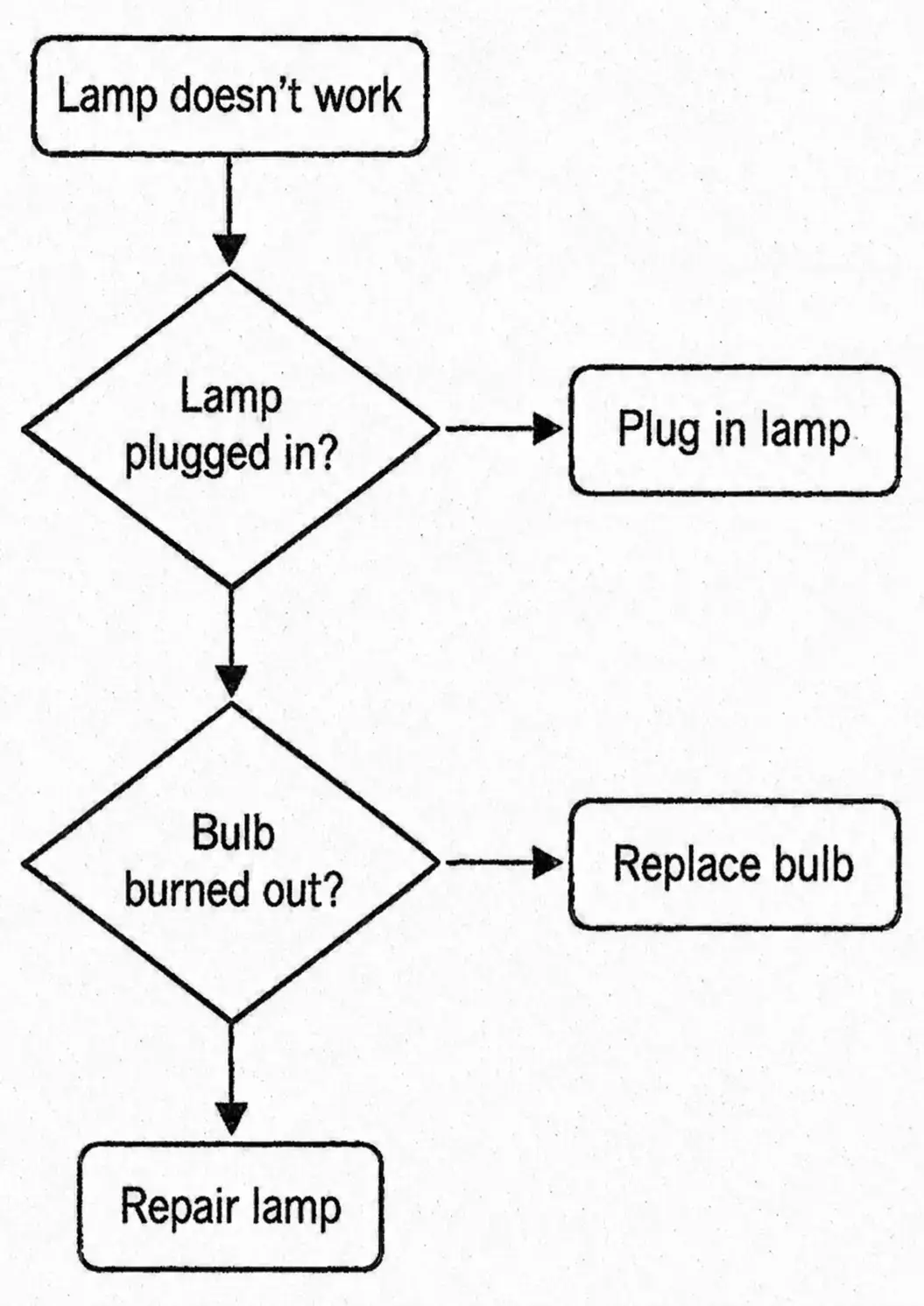
Static SOP PDF process before conversion
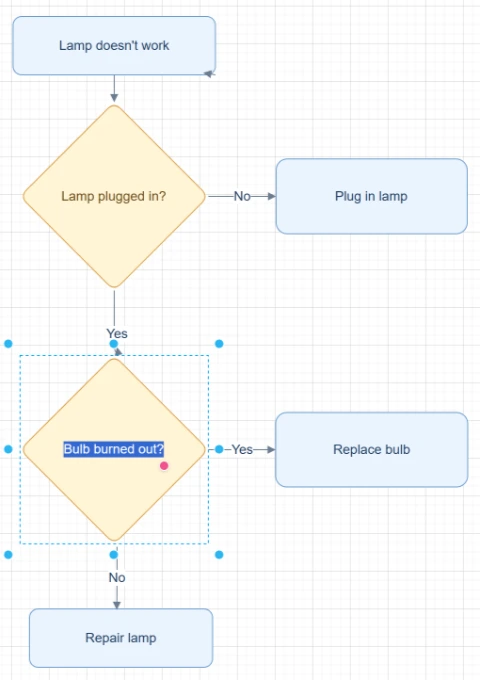
Editable flowchart rebuilt from an SOP PDF

SOP PDF process

Turn a static SOP process page into an editable flowchart for future updates.

Try with your file
PDF workflow diagram before conversion
Editable flowchart generated from a PDF workflow diagram

PDF workflow diagram

Convert a PDF page with boxes and arrows into editable flowchart objects.

Try with your file
PDF process document before conversion
Editable flowchart generated from a PDF process document

Process document PDF

Use extracted process text as structure for a clean editable flowchart draft.

Try with your file

Use cases

Built for real diagram recovery workflows

Each converter page focuses on a specific output goal, so you can start with the format or workflow you need.

SOP PDFs

Recover operating procedures from static PDFs so teams can update the process again.

Training documents

Convert process pages from manuals into editable diagrams for lessons and onboarding.

Policy workflows

Rebuild approval, review, or escalation flows from PDF documents.

Slide exports

Turn PDF slide diagrams into editable flowcharts instead of redrawing each step.

Scanned process pages

Convert clear scanned PDF pages into editable flowchart drafts when the text and arrows are readable.

Details

What to know before converting

Convert PDF documents into editable flowcharts

A PDF to flowchart converter helps when your process is locked inside a PDF document, SOP, workflow page, scanned process chart, or exported PDF diagram. ChatFlowchart rebuilds the process as editable diagram objects.

The result is not just extracted text. It is a structured flowchart draft that can be reviewed, edited, and exported from the canvas.

Text-based PDFs vs scanned PDFs

Text-based PDFs may provide readable text that can guide the flowchart structure. Scanned or image-style PDFs depend on visual clarity, so a clean page crop or screenshot often produces a better first draft.

For complex or dense PDFs, convert one process or one diagram page at a time. Review labels, arrows, and branch order before using the diagram in production documentation.

Supported inputs

PNGJPGJPEGWEBPGIFPDF text extraction

Supported outputs

Editable ChatFlowchart canvasPNGSVGPDFDraw.io FileMermaidShare link

Export availability follows the current ChatFlowchart canvas export options.

Results and quality

Supported outputs and best results

Text-based PDFs can provide readable text for building the flowchart structure. Scanned PDFs are processed visually, so clear page quality, readable labels, and visible arrows will produce better results.

Output
Free
Pro
Notes
Editable canvas
Yes
Yes
Core workspace for reviewing and refining the rebuilt diagram.
PNG
Watermarked
No watermark / high-res
Best for quick sharing, presentations, and visual documentation.
SVG
Limited
Yes
Best for scalable documentation, websites, and design handoff.
PDF
Limited
Yes
Useful for sharing the cleaned diagram as a document.
Draw.io File
Limited
Yes
Available for Draw.io-compatible editable diagram workflows.
Mermaid
Copy when available
Advanced export
Useful for Markdown, GitHub, Notion, and technical documentation workflows.

Best results checklist

  • Use clear images or PDF pages with readable labels.
  • Crop the upload to one diagram or one process when the source contains multiple unrelated charts.
  • Keep arrowheads, connector lines, and decision labels visible.
  • Use high-contrast screenshots or straight-on whiteboard photos.
  • Review labels, arrows, and branch directions before exporting the final diagram.
  • Use one process diagram or one workflow section per PDF page when possible.

Limitations and cleanup

  • Dense diagrams may need manual cleanup after the first AI rebuild.
  • Blurred, cropped, or low-contrast text can reduce label accuracy.
  • Scanned PDFs and image-style PDFs work best when the target page is clear.
  • The result is a rebuilt editable diagram, not a recovery of hidden source metadata.
  • Connector direction, branch labels, and complex layouts may need review before sharing.
  • Text-based PDFs can help with labels, but scanned PDF pages still depend on visible diagram clarity, readable text, and clear arrow direction.

After conversion

Open editable canvas

Continue refining the rebuilt diagram with manual edits or AI chat.

Export target files

Export the finished diagram as PNG, SVG, PDF, Draw.io, Mermaid, or a shareable link when available.

Fix with AI chat

Ask ChatFlowchart to rename labels, adjust steps, clean up layout, or correct arrows.

Report conversion quality

Mark whether the result looks good or needs cleanup so weak inputs are easier to diagnose.

Conversion feedback

After reviewing the rebuilt diagram, mark what worked or what needs cleanup so future conversions can improve.

FAQ

Questions before you upload

Can I convert a PDF file into an editable flowchart?

Yes. Upload a text-based PDF, PDF process document, or clear scanned PDF page and ChatFlowchart will rebuild the process as editable flowchart objects.

Does this only extract text from the PDF?

No. The goal is to rebuild the process as an editable flowchart canvas, not only extract raw text.

What if my PDF is scanned?

Scanned or image-style PDFs can work when the diagram is clear. For best results, upload a clean screenshot or crop of the page that contains the diagram.

Can it handle multi-page PDFs?

Yes, but best results come from converting one process or one diagram page at a time. For long PDFs, split the document into the pages that contain the process you want to rebuild.

Can I export the result?

Yes. After reviewing the editable canvas, use the current ChatFlowchart export options such as PNG, SVG, PDF, and share links where available.

Will the conversion be perfect?

No AI conversion should be treated as final without review. Check labels, arrow direction, and branch order before sharing.

Related converters

Choose the converter that matches your workflow

Image to Flowchart Converter

Upload a screenshot, whiteboard photo, or old flowchart image and rebuild it into an editable flowchart you can clean up, refine, and export.

Open converter

Image to Draw.io Converter

Upload a PNG, JPG, screenshot, whiteboard photo, or exported diagram image and rebuild it as an editable Draw.io-compatible diagram.

Open converter

Image to Excalidraw Converter

Upload a sketch, whiteboard photo, screenshot, or flowchart image and let AI rebuild the visible structure into an editable Excalidraw-style diagram.

Open converter

Screenshot to Flowchart Converter

Upload a screenshot of a workflow, app flow, slide process, SOP, or document diagram and rebuild it as an editable flowchart.

Open converter

Whiteboard to Flowchart Converter

Upload a whiteboard photo from a meeting, workshop, brainstorming session, or process mapping session and turn it into an editable flowchart draft.

Open converter

Hand-drawn Flowchart to Digital Converter

Upload a hand-drawn flowchart, paper sketch, notebook diagram, scan, or tablet drawing and turn it into an editable digital flowchart.

Open converter

PDF to Draw.io Converter

Upload a PDF diagram and rebuild the visible boxes, labels, connectors, and layout into an editable Draw.io-compatible diagram.

Open converter

Image to Mermaid Converter

Upload a flowchart screenshot, diagram image, or PDF page and convert the visible structure into editable Mermaid code you can review, refine, and use in documentation.

Open converter

Image to Editable Diagram Converter

Upload a static diagram image, PDF page, screenshot, whiteboard photo, or old flowchart and rebuild the visible labels, shapes, arrows, and layout as editable diagram objects.

Open converter

Turn a PDF process into an editable flowchart

Upload a PDF process document, workflow page, SOP, or diagram and rebuild the process on canvas.

Convert to Flowchart