Tools
AI diagram conversion tools
Convert images, PDFs, screenshots, whiteboards, and diagram files into editable flowcharts, Draw.io workflows, Mermaid code, and Excalidraw-style canvases.
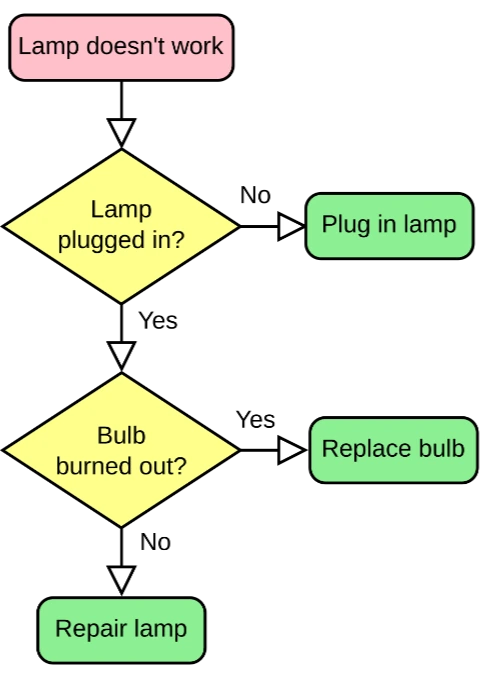
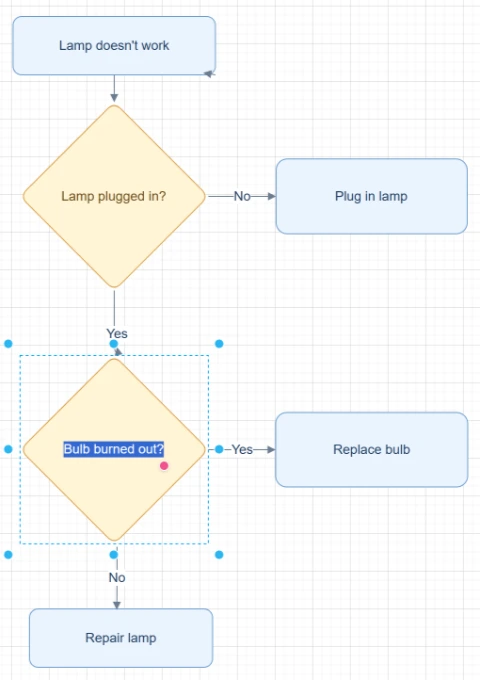
Featured converters
Start with the highest-intent converters for rebuilding editable diagrams from images, PDFs, and mixed sources.
Convertidor de imagen a diagrama de flujo
Sube una captura de pantalla, una foto de pizarra o una imagen antigua de un diagrama de flujo y reconstruye un flujograma editable que puedas limpiar, ajustar y exportar.
Convertidor de imagen a diagrama editable
Sube una imagen de diagrama, página PDF, captura de pantalla, foto de pizarra o diagrama de flujo antiguo y reconstruye textos, formas, flechas y diseño como objetos editables.
Convertidor de imagen a Draw.io
Sube un PNG, JPG, captura de pantalla, foto de pizarra o imagen de diagrama exportada y reconstruye un diagrama editable compatible con Draw.io.
Convertidor de Imagen a Mermaid
Sube una captura de un diagrama de flujo, una imagen de diagrama o una página PDF y convierte la estructura visible en código Mermaid editable para revisar, ajustar y usar en documentación.
Input sources
Pick the source format that matches the file you already have, from screenshots and whiteboards to SOPs and compressed images.
Convertidor de captura de pantalla a diagrama de flujo
Sube una captura de un workflow, flujo de app, proceso de diapositiva, SOP o diagrama de documento y reconstruyela como un diagrama de flujo editable.
Convertidor de Pizarra a Diagrama de Flujo
Sube una foto de pizarra de una reunión, workshop, sesión de brainstorming o mapeo de procesos y conviértela en un borrador de diagrama de flujo editable.
Convertidor de diagrama de flujo dibujado a mano a digital
Sube un diagrama de flujo dibujado a mano, un boceto en papel, un diagrama de cuaderno, un escaneo o un dibujo de tablet y conviértelo en un diagrama digital editable.
SOP to Flowchart Converter
Upload an SOP PDF, procedure document, work instruction screenshot, or process text. ChatFlowchart turns steps, roles, decision points, handoffs, approvals, and exception paths into an editable flowchart draft.
PNG to Draw.io Converter
Upload a PNG diagram export, transparent PNG, high-resolution screenshot, or archived process map. ChatFlowchart reconstructs the visible structure as an editable Draw.io-compatible draft.
JPG to Draw.io Converter
Upload a JPG or JPEG diagram image, email attachment, phone photo, or compressed screenshot. ChatFlowchart reconstructs the visible structure as an editable Draw.io-compatible draft.
Flowchart Image to Draw.io Converter
Upload a static flowchart image, exported flowchart, archived process map, or shared screenshot. ChatFlowchart reconstructs the visible steps, decisions, branches, and connectors as an editable Draw.io-compatible draft.
Screenshot to Draw.io Converter
Upload a diagram screenshot from docs, tickets, slides, websites, or product specs. ChatFlowchart reconstructs the visible structure as an editable Draw.io-compatible draft.
Export formats
Open format-specific workflows when your final diagram needs to fit Draw.io, Mermaid, or Excalidraw-style editing.
Convertidor de Imagen a Excalidraw
Sube un boceto, una foto de pizarra, una captura de pantalla o una imagen de diagrama de flujo y deja que la IA reconstruya la estructura visible como un diagrama editable estilo Excalidraw.
PDF to Mermaid Converter
Upload a PDF page with a flowchart, process diagram, or workflow diagram. ChatFlowchart converts the visible structure into an editable Mermaid code draft for Markdown, GitHub, README files, and technical docs.
Convertidor de PDF a Diagrama de Flujo
Sube un documento de proceso en PDF, una SOP, una página de flujo de trabajo o un diagrama PDF y conviértelo en un lienzo de diagrama de flujo editable.
Convertir PDF a Draw.io
Sube un diagrama en PDF y reconstruye los cuadros, etiquetas, conectores y el diseño visible como un diagrama editable compatible con Draw.io.
Start with a clear source file, then refine the editable result.
Upload an image, screenshot, whiteboard photo, or PDF page and move into the canvas with the right converter context already selected.