1
Upload the static source
Start with a diagram image, screenshot, PDF page, whiteboard photo, or exported flowchart file.
Upload a static diagram image, PDF page, screenshot, whiteboard photo, or old flowchart and rebuild the visible labels, shapes, arrows, and layout as editable diagram objects.
Supported inputs
Before and after
Upload a screenshot, PDF page, whiteboard photo, or old diagram image. ChatFlowchart rebuilds the visible structure into editable shapes, labels, and connectors.
Before
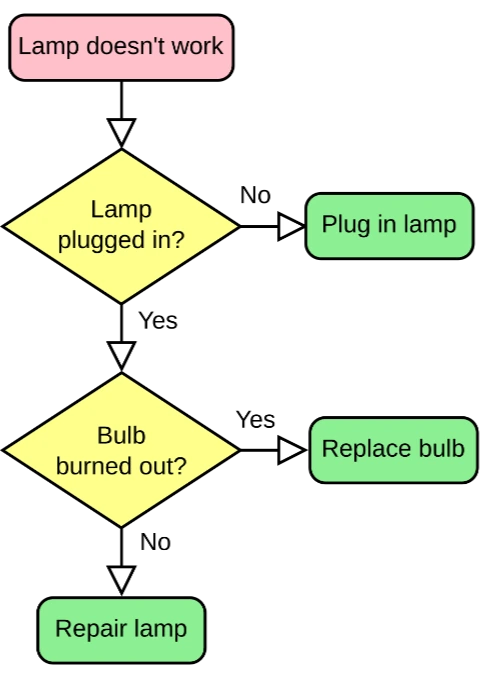
Static pixels, hard to update
After
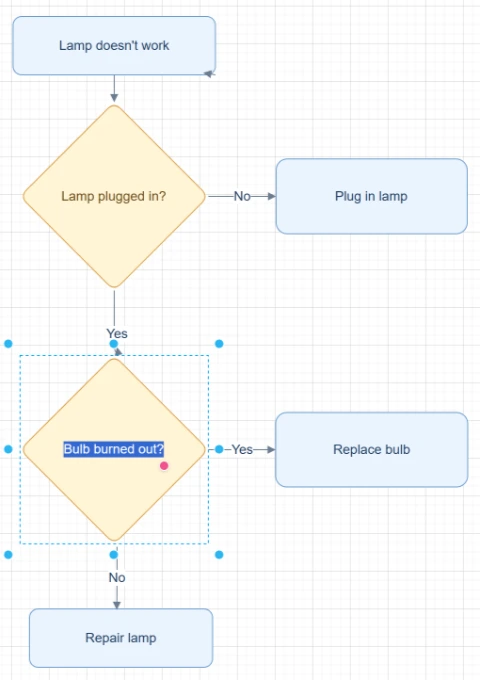
Editable objects you can review
Best for clear diagrams with visible labels, boxes, and arrows. Review blurry text or dense layouts before export.
Convert to Editable DiagramStart with the source file, let AI rebuild the visible structure, then review the editable result on canvas.
Start with a diagram image, screenshot, PDF page, whiteboard photo, or exported flowchart file.
ChatFlowchart detects the visible text, shapes, arrows, connectors, and layout, then recreates them as editable diagram elements.
Continue as an editable flowchart, Draw.io-compatible diagram, Mermaid workflow, or sketch-style canvas depending on how you want to edit and export it.
Editable result
ChatFlowchart rebuilds the visible diagram as editable diagram objects, so the output can be reviewed and refined instead of staying locked inside a flat image.
Review and edit the visible text labels after the diagram is rebuilt.
Move, resize, add, or remove process boxes, decision nodes, and other diagram elements.
Reconnect arrows, adjust flow direction, and fix unclear branches when needed.
Clean up spacing, alignment, grouping, and reading order on the editable canvas.
Apply sketch or modern styling before exporting the final diagram.
Use cases
Each converter page focuses on a specific output goal, so you can start with the format or workflow you need.
Rebuild static process images, screenshots, and old exports as editable flowcharts.
Use a structured diagram workflow when you want a Draw.io-oriented result that is easier to edit and maintain.
Convert diagram screenshots into Mermaid-style workflows when technical docs need code-backed diagrams.
Convert meeting photos, workshop boards, and rough sketches into cleaner editable diagrams.
Update diagrams when the original editable source is lost and only a PNG, JPG, screenshot, or PDF remains.
Details
Importing a PNG, JPG, screenshot, or PDF page into a diagram tool usually keeps it as one flat image. ChatFlowchart is designed to rebuild the visible diagram as editable objects, so you can adjust labels, boxes, arrows, connectors, layout, and style.
Use this page as a starting point when you want to make a diagram image editable but are not sure whether the final output should be an editable flowchart, Draw.io-compatible diagram, Mermaid workflow, or sketch-style canvas.
Choose editable flowchart for business processes and SOP cleanup, Draw.io-compatible workflows for structured diagram editing, Mermaid workflows for Markdown and GitHub documentation, or sketch-style output for whiteboards, product flows, and early planning diagrams.
AI conversion works best with clear, high-contrast sources. Dense, blurred, cropped, or overlapping diagrams should be reviewed carefully before you export or share the final editable diagram.
Results and quality
Images, screenshots, whiteboard photos, and PDF uploads are supported. Text-based PDFs can be extracted directly, while scanned PDFs work best when the diagram, labels, and arrows are clearly visible.
Export availability follows the current ChatFlowchart canvas export options.
Continue from the converted diagram without rebuilding the file.
Continue refining the rebuilt diagram with manual edits or AI chat.
Export the finished diagram as PNG, SVG, PDF, Draw.io, Mermaid, or a shareable link when available.
Ask ChatFlowchart to rename labels, adjust steps, clean up layout, or correct arrows.
Mark whether the result looks good or needs cleanup so weak inputs are easier to diagnose.
FAQ
Upload an image, PDF, screenshot, whiteboard photo, or old diagram and rebuild it as editable objects you can refine and export.