1
Upload a PDF diagram page
Start with a PDF page that contains a clear flowchart, process diagram, workflow diagram, or documentation diagram.
Upload a PDF page with a flowchart, process diagram, or workflow diagram. ChatFlowchart converts the visible structure into an editable Mermaid code draft for Markdown, GitHub, README files, and technical docs.
Supported inputs
Trước và sau
Upload a flowchart screenshot, diagram image, or PDF page. ChatFlowchart rebuilds the structure and generates Mermaid code you can copy into docs, GitHub, or Markdown.
Before
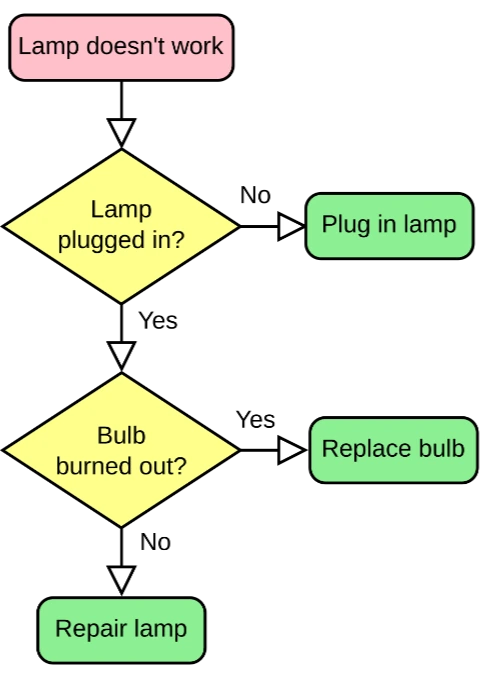
Static visual source
After
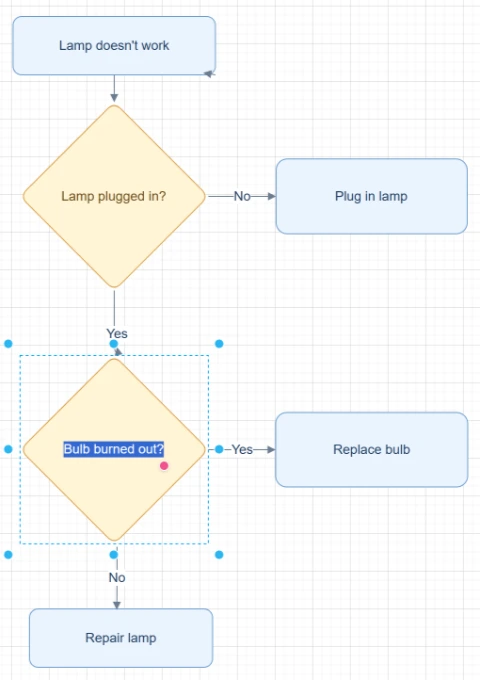
Code you can copy, edit, and render
Best for clear flowcharts and architecture diagrams. Review dense labels and branch directions before publishing.
Generate Mermaid codeStart with the source file, let AI rebuild the visible structure, then review the editable result on canvas.
Start with a PDF page that contains a clear flowchart, process diagram, workflow diagram, or documentation diagram.
ChatFlowchart detects steps, decisions, branch labels, arrows, connector direction, and layout from the PDF content.
Use the generated Mermaid draft as a starting point, then review syntax, labels, branch logic, and layout direction before publishing.
Editable result
ChatFlowchart rebuilds the visible diagram as editable diagram objects, so the output can be reviewed and refined instead of staying locked inside a flat image.
Review and edit the visible text labels after the diagram is rebuilt.
Move, resize, add, or remove process boxes, decision nodes, and other diagram elements.
Reconnect arrows, adjust flow direction, and fix unclear branches when needed.
Clean up spacing, alignment, grouping, and reading order on the editable canvas.
Apply sketch or modern styling before exporting the final diagram.
Trường hợp sử dụng
Mỗi trang chuyển đổi tập trung vào một mục tiêu đầu ra cụ thể, để bạn bắt đầu đúng với định dạng hoặc quy trình mình cần.
Convert PDF diagram pages into Mermaid drafts for developer portals, engineering docs, and architecture notes.
Move a PDF flowchart into Mermaid source that can be reviewed and updated in README files.
Convert PDF process diagrams into code-backed diagrams for Markdown docs sites and wikis.
Turn workflow diagrams from PDFs into Mermaid drafts that fit GitHub documentation workflows.
Create Mermaid flowchart drafts from visible process diagrams in PDFs for review and cleanup.
Chi tiết
PDF to Mermaid conversion is useful when a flowchart, process diagram, or workflow diagram lives inside a PDF but your team wants code-backed documentation.
ChatFlowchart analyzes the visible PDF diagram and generates an editable Mermaid draft with nodes, labels, arrows, branch text, connector direction, and layout direction where possible.
Mermaid is useful when diagrams need to live close to documentation, pull requests, README files, and Markdown-based knowledge bases.
A PDF diagram to Mermaid workflow helps turn static documentation diagrams into text-based drafts that can be versioned, reviewed, and edited like source content.
Generated Mermaid code should be treated as a draft, especially when the PDF is scanned, dense, low contrast, or contains tiny labels.
Review connector direction, branch labels, node text, Mermaid syntax, and layout direction before publishing the result in production documentation.
Results and quality
Images, screenshots, whiteboard photos, and PDF uploads are supported. Text-based PDFs can be extracted directly, while scanned PDFs work best when the diagram, labels, and arrows are clearly visible.
Export availability follows the current ChatFlowchart canvas export options.
Continue from the converted diagram without rebuilding the file.
Continue refining the rebuilt diagram with manual edits or AI chat.
Export the finished diagram as PNG, SVG, PDF, Draw.io, Mermaid, or a shareable link when available.
Ask ChatFlowchart to rename labels, adjust steps, clean up layout, or correct arrows.
Mark whether the result looks good or needs cleanup so weak inputs are easier to diagnose.
FAQ
Upload a PDF page and turn the visible diagram into an editable Mermaid draft for documentation, review, and version control.