1
Upload a whiteboard photo
Add a meeting board, workshop process map, brainstorming flow, sticky-note board, or rough whiteboard sketch.
Upload a whiteboard photo from a meeting, workshop, brainstorming session, or process mapping session and turn it into an editable flowchart draft.
Supported inputs
Before and after
Upload a screenshot, PDF page, whiteboard photo, or old diagram image. ChatFlowchart rebuilds the visible structure into editable shapes, labels, and connectors.
Before
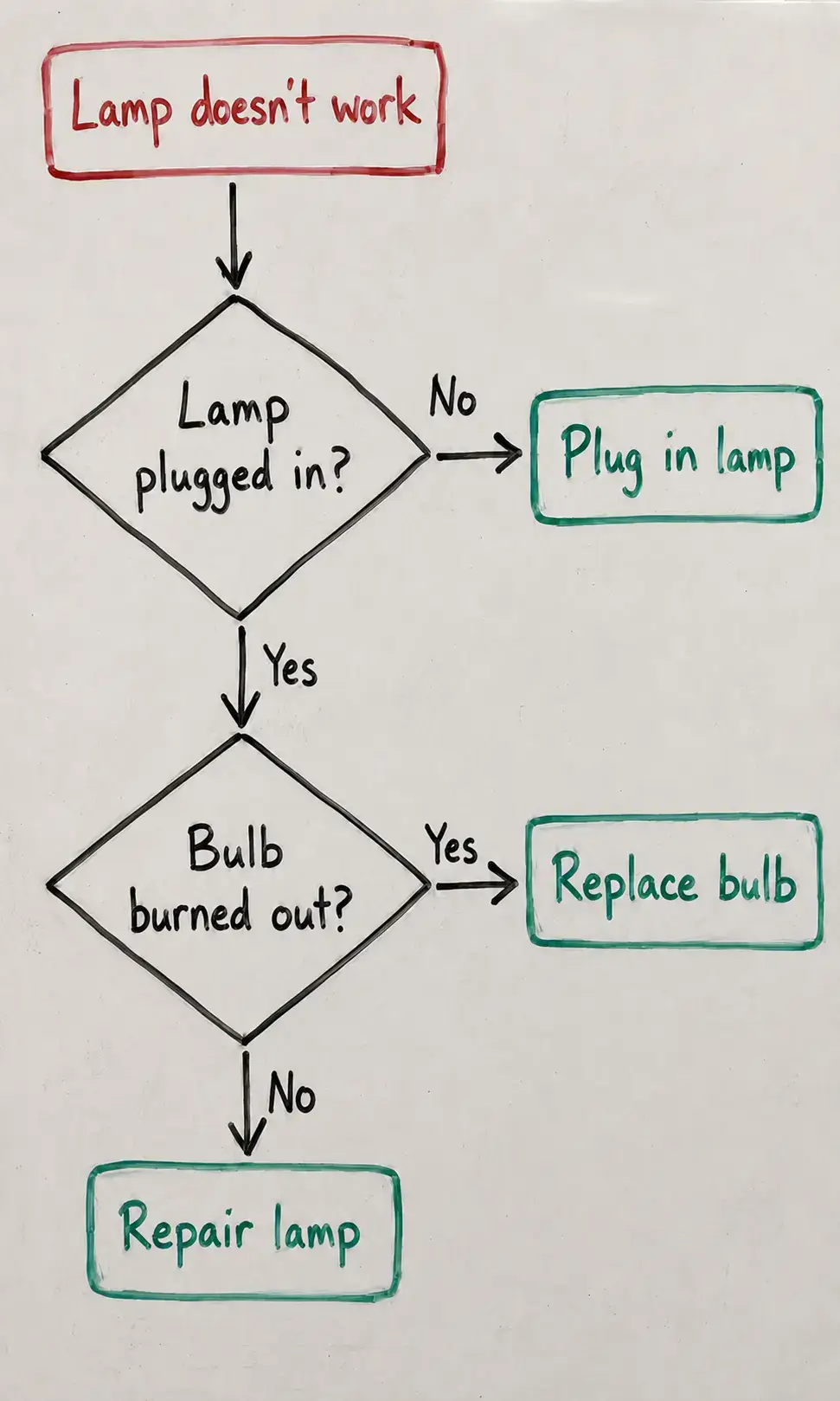
Static pixels, hard to update
After
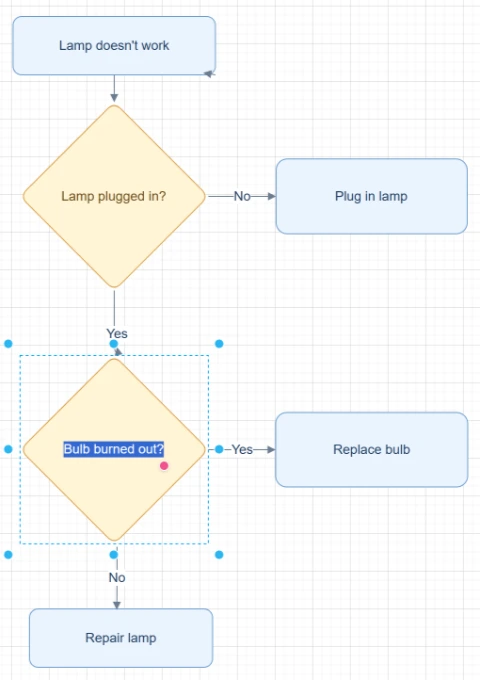
Editable objects you can review
Best for clear diagrams with visible labels, boxes, and arrows. Review blurry text or dense layouts before export.
Upload Whiteboard PhotoStart with the source file, let AI rebuild the visible structure, then review the editable result on canvas.
Add a meeting board, workshop process map, brainstorming flow, sticky-note board, or rough whiteboard sketch.
ChatFlowchart identifies visible steps, labels, arrows, decision points, rough grouping, and board structure.
Clean up the generated flowchart, clarify labels, reorganize branches, and export a polished version.
Editable result
ChatFlowchart rebuilds the visible diagram as editable diagram objects, so the output can be reviewed and refined instead of staying locked inside a flat image.
Review and edit the visible text labels after the diagram is rebuilt.
Move, resize, add, or remove process boxes, decision nodes, and other diagram elements.
Reconnect arrows, adjust flow direction, and fix unclear branches when needed.
Clean up spacing, alignment, grouping, and reading order on the editable canvas.
Apply sketch or modern styling before exporting the final diagram.
Use cases
Each converter page focuses on a specific output goal, so you can start with the format or workflow you need.
Convert a whiteboard photo into an editable flowchart after a meeting, workshop, or planning session.
Turn meeting boards into digital diagrams your team can edit after the session.
Convert workshop process maps and discovery boards into clean editable flowcharts.
Rebuild messy brainstorming boards as structured editable workflow diagrams.
Capture process discovery sessions and convert them into reusable process documentation.
Turn rough board sketches, sticky-note flows, and decision maps into editable diagrams.
Details
A whiteboard to flowchart converter turns a photo of a meeting board, workshop map, sticky-note flow, or brainstorming sketch into editable flowchart elements.
ChatFlowchart helps recover the structure behind a rough board session so your team can keep editing after the meeting ends.
Use this page after process mapping sessions, planning workshops, sprint meetings, discovery calls, and team brainstorms. The AI reads visible labels, arrows, boxes, grouping, and decision points from the photo.
The generated diagram gives you a structured editable draft that can be cleaned up, exported, and shared instead of leaving the process locked inside a photo.
Workshop boards are often useful but messy. They may include crossed-out notes, sticky notes, uneven spacing, and quick arrows that make the final process hard to reuse.
Converting the board into an editable flowchart keeps the original discussion structure while giving you a cleaner digital process map.
Take the photo straight on, keep the full board in frame, avoid glare, and make sure text, sticky notes, labels, and arrowheads are readable.
If the board has several unrelated clusters, crop to the flow you want before uploading so the AI can rebuild one process clearly.
Manual cleanup means transcribing labels, recreating boxes, and reconnecting arrows from memory. That often loses details from the original discussion.
AI conversion gives you a fast editable draft that preserves more of the visible whiteboard structure before you refine it on canvas.
Results and quality
Images, screenshots, whiteboard photos, and PDF uploads are supported. Text-based PDFs can be extracted directly, while scanned PDFs work best when the diagram, labels, and arrows are clearly visible.
Export availability follows the current ChatFlowchart canvas export options.
Continue from the converted diagram without rebuilding the file.
Continue refining the rebuilt diagram with manual edits or AI chat.
Export the finished diagram as PNG, SVG, PDF, Draw.io, Mermaid, or a shareable link when available.
Ask ChatFlowchart to rename labels, adjust steps, clean up layout, or correct arrows.
Mark whether the result looks good or needs cleanup so weak inputs are easier to diagnose.
FAQ
Upload a meeting board, workshop sketch, brainstorming photo, or process map and refine the rebuilt flowchart on canvas.