1
Upload an SOP or process instruction
Start with an SOP PDF, procedure document, work instruction screenshot, process page, or pasted process text.
Upload an SOP PDF, procedure document, work instruction screenshot, or process text. ChatFlowchart turns steps, roles, decision points, handoffs, approvals, and exception paths into an editable flowchart draft.
Supported inputs
Önce ve sonra
Upload a screenshot, PDF page, whiteboard photo, or old diagram image. ChatFlowchart rebuilds the visible structure into editable shapes, labels, and connectors.
Before
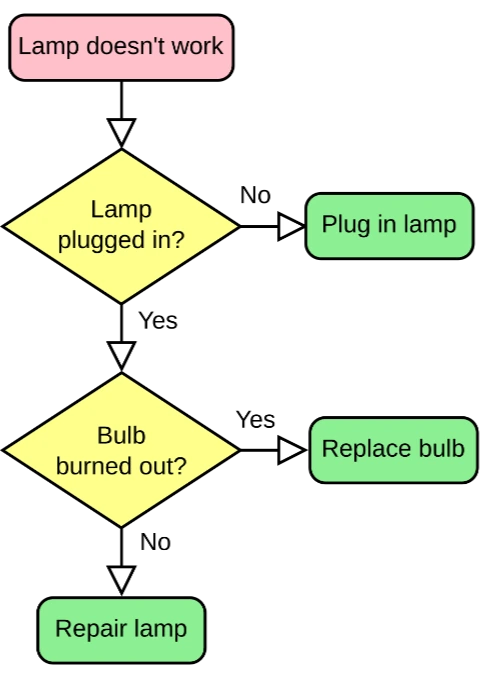
Static pixels, hard to update
After
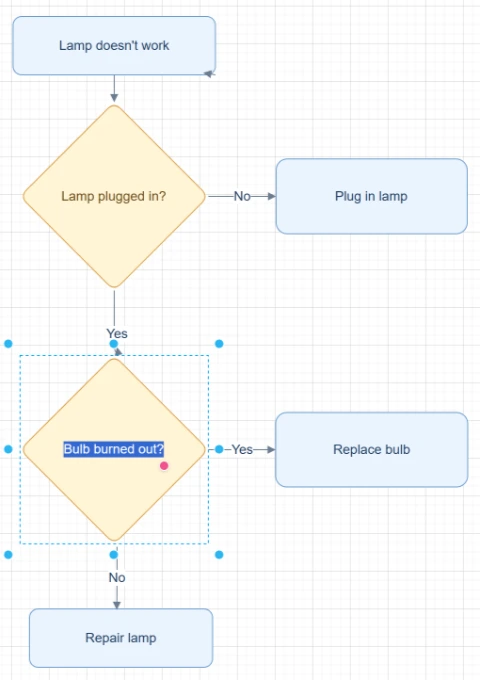
Editable objects you can review
Best for clear diagrams with visible labels, boxes, and arrows. Review blurry text or dense layouts before export.
Convert SOP to FlowchartStart with the source file, let AI rebuild the visible structure, then review the editable result on canvas.
Start with an SOP PDF, procedure document, work instruction screenshot, process page, or pasted process text.
ChatFlowchart identifies sequential steps, role ownership, decisions, approvals, handoffs, and exception paths where they are visible or described.
Open the flowchart draft on the canvas, fix labels, roles, branches, or handoffs, and export after the process has been reviewed.
Editable result
ChatFlowchart rebuilds the visible diagram as editable diagram objects, so the output can be reviewed and refined instead of staying locked inside a flat image.
Review and edit the visible text labels after the diagram is rebuilt.
Move, resize, add, or remove process boxes, decision nodes, and other diagram elements.
Reconnect arrows, adjust flow direction, and fix unclear branches when needed.
Clean up spacing, alignment, grouping, and reading order on the editable canvas.
Apply sketch or modern styling before exporting the final diagram.
Kullanım alanları
Her dönüştürücü sayfası belirli bir çıktı hedefine odaklanır; böylece ihtiyacın olan format veya iş akışıyla başlayabilirsin.
Turn step-by-step SOPs into visual flowcharts for lessons, team training, and knowledge transfer.
Convert onboarding procedures into diagrams that new teammates can scan, understand, and follow.
Map SOP steps, approvals, reviews, decision points, and exception paths so teams can review the process more clearly.
Visualize role changes, team handoffs, escalations, and exception paths across operational workflows.
Create editable flowchart drafts from procedure documents before simplifying, auditing, or redesigning the workflow.
Detaylar
SOP to flowchart conversion helps teams turn written procedures, work instructions, and process documents into visual diagrams that are easier to review and explain.
ChatFlowchart structures the SOP content into an editable flowchart draft with steps, decisions, role labels, handoffs, approvals, and exception paths when they are present in the source.
A useful SOP flowchart should show more than a linear list of steps. It should make role ownership, approval decisions, handoffs, branch conditions, and exception paths easier to see.
For best results, upload one process at a time and keep role names, step numbers, decision conditions, approval rules, and escalation paths clear.
Generated SOP flowcharts should be treated as editable drafts, not compliance-approved process records or executable workflow specifications.
Review labels, branch logic, role ownership, approvals, and exception paths with the process owner before using the diagram for training, compliance review, or operations.
Results and quality
Images, screenshots, whiteboard photos, and PDF uploads are supported. Text-based PDFs can be extracted directly, while scanned PDFs work best when the diagram, labels, and arrows are clearly visible.
Export availability follows the current ChatFlowchart canvas export options.
Continue from the converted diagram without rebuilding the file.
Continue refining the rebuilt diagram with manual edits or AI chat.
Export the finished diagram as PNG, SVG, PDF, Draw.io, Mermaid, or a shareable link when available.
Ask ChatFlowchart to rename labels, adjust steps, clean up layout, or correct arrows.
Mark whether the result looks good or needs cleanup so weak inputs are easier to diagnose.
SSS
Upload an SOP, procedure document, or process instruction and create a flowchart draft for review, training, and process improvement.