Tools
AI diagram conversion tools
Convert images, PDFs, screenshots, whiteboards, and diagram files into editable flowcharts, Draw.io workflows, Mermaid code, and Excalidraw-style canvases.
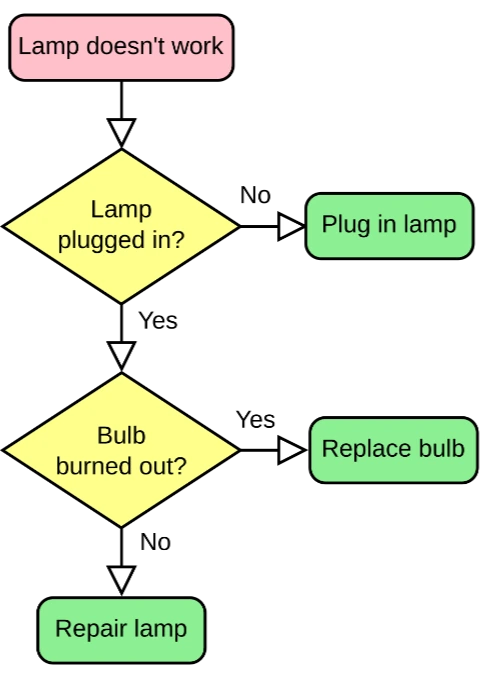
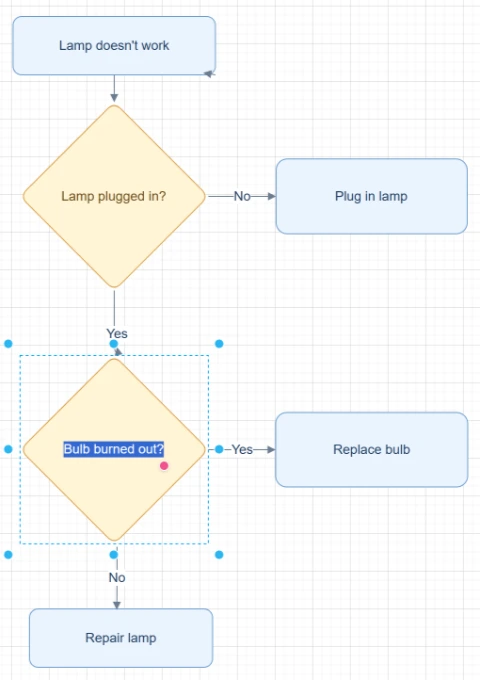
Featured converters
Start with the highest-intent converters for rebuilding editable diagrams from images, PDFs, and mixed sources.
Công cụ chuyển hình ảnh sang lưu đồ
Tải lên ảnh chụp màn hình, ảnh bảng trắng hoặc hình ảnh lưu đồ cũ để AI dựng lại thành lưu đồ có thể chỉnh sửa, làm sạch, tinh chỉnh và xuất file.
Công cụ chuyển hình ảnh thành sơ đồ có thể chỉnh sửa
Tải lên hình ảnh sơ đồ tĩnh, trang PDF, ảnh chụp màn hình, ảnh bảng trắng hoặc lưu đồ cũ và dựng lại chữ, hình khối, mũi tên cùng bố cục thành các đối tượng sơ đồ có thể chỉnh sửa.
Công cụ chuyển hình ảnh sang Draw.io
Tải lên PNG, JPG, ảnh chụp màn hình, ảnh bảng trắng hoặc hình ảnh sơ đồ đã xuất, rồi dựng lại thành sơ đồ chỉnh sửa được tương thích với Draw.io.
Trình chuyển ảnh sang Mermaid
Tải lên screenshot lưu đồ, hình ảnh sơ đồ hoặc trang PDF và chuyển cấu trúc nhìn thấy được thành mã Mermaid có thể chỉnh sửa, kiểm tra và dùng trong tài liệu.
Input sources
Pick the source format that matches the file you already have, from screenshots and whiteboards to SOPs and compressed images.
Chuyển ảnh chụp màn hình sang lưu đồ
Tải lên ảnh chụp workflow, luồng app, quy trình trong slide, SOP hoặc sơ đồ tài liệu và dựng lại thành lưu đồ có thể chỉnh sửa.
Chuyển Ảnh Bảng Trắng Thành Lưu Đồ
Tải lên ảnh bảng trắng từ cuộc họp, workshop, buổi brainstorm hoặc phiên lập bản đồ quy trình và chuyển nó thành bản nháp lưu đồ có thể chỉnh sửa.
Công cụ chuyển lưu đồ vẽ tay sang kỹ thuật số
Tải lên lưu đồ vẽ tay, bản phác trên giấy, sơ đồ trong sổ, bản scan hoặc bản vẽ trên tablet và chuyển thành lưu đồ kỹ thuật số có thể chỉnh sửa.
SOP to Flowchart Converter
Upload an SOP PDF, procedure document, work instruction screenshot, or process text. ChatFlowchart turns steps, roles, decision points, handoffs, approvals, and exception paths into an editable flowchart draft.
PNG to Draw.io Converter
Upload a PNG diagram export, transparent PNG, high-resolution screenshot, or archived process map. ChatFlowchart reconstructs the visible structure as an editable Draw.io-compatible draft.
JPG to Draw.io Converter
Upload a JPG or JPEG diagram image, email attachment, phone photo, or compressed screenshot. ChatFlowchart reconstructs the visible structure as an editable Draw.io-compatible draft.
Flowchart Image to Draw.io Converter
Upload a static flowchart image, exported flowchart, archived process map, or shared screenshot. ChatFlowchart reconstructs the visible steps, decisions, branches, and connectors as an editable Draw.io-compatible draft.
Screenshot to Draw.io Converter
Upload a diagram screenshot from docs, tickets, slides, websites, or product specs. ChatFlowchart reconstructs the visible structure as an editable Draw.io-compatible draft.
Export formats
Open format-specific workflows when your final diagram needs to fit Draw.io, Mermaid, or Excalidraw-style editing.
Chuyển Ảnh sang Excalidraw
Tải lên bản phác thảo, ảnh bảng trắng, ảnh chụp màn hình hoặc ảnh lưu đồ và để AI dựng lại cấu trúc nhìn thấy thành sơ đồ chỉnh sửa được theo phong cách Excalidraw.
PDF to Mermaid Converter
Upload a PDF page with a flowchart, process diagram, or workflow diagram. ChatFlowchart converts the visible structure into an editable Mermaid code draft for Markdown, GitHub, README files, and technical docs.
Công cụ chuyển PDF sang Sơ đồ Quy trình
Tải lên tài liệu quy trình PDF, SOP, trang workflow hoặc sơ đồ PDF và chuyển thành canvas lưu đồ có thể chỉnh sửa.
Chuyển PDF sang Draw.io
Tải lên sơ đồ PDF và tái tạo các hộp, nhãn, đường nối và bố cục nhìn thấy được thành sơ đồ có thể chỉnh sửa tương thích với Draw.io.
Start with a clear source file, then refine the editable result.
Upload an image, screenshot, whiteboard photo, or PDF page and move into the canvas with the right converter context already selected.